
01
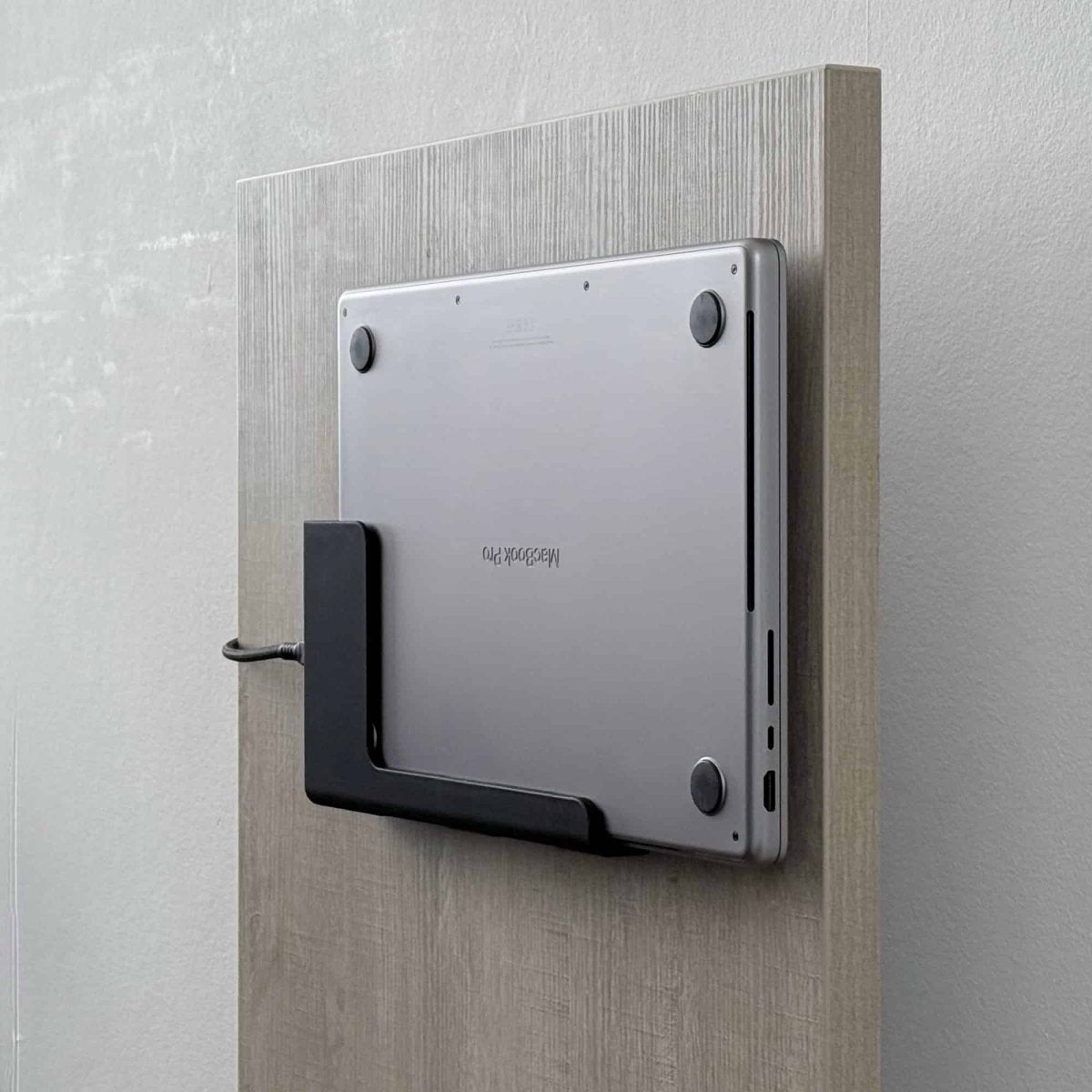
Desk side panelScrew it to the side panel
Three wood screws straight into the vertical side panel of your desk. The MacBook sits on its side along the edge, off the surface but right at hand.
Slide Series · Made in Rotterdam
Bring SlideEdge to any flat vertical surface.
Not every desk has a lip to clamp onto. Plenty of them have a flat vertical face instead, the side panel that runs down toward the floor. The SlideEdge VESA Standard is a low-profile adapter plate that mounts to that surface, or to any VESA-ready arm or wall mount, and gives you the SlideEdge slide rails wherever you need them.
The plate carries a standard VESA 75x75 or 100x100 bolt pattern with countersunk holes, so it sits flush and screws down solid. Along the top and bottom edges run the familiar SlideEdge rails, so your dock slides straight on and locks in exactly the same way it always has.
Like the rest of the Pro line, comes in 40gbps and 100W power delivery.
Buy 2 or more — save 5% automatically at checkout.
One dock, three setups
The same dock fits a VESA arm, your desk's side panel, or the wall. Pick the setup your space wants, and change it whenever your space changes.
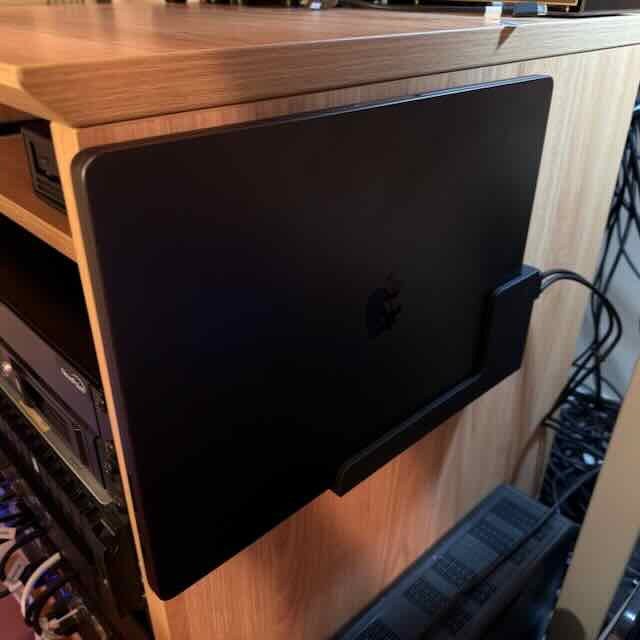
Three wood screws straight into the vertical side panel of your desk. The MacBook sits on its side along the edge, off the surface but right at hand.
Four M4 bolts onto any VESA 75 or 100 monitor arm or bracket. Float the dock beside your display and reclaim the desk entirely.
Four screws into the wall, washers included. Turn any flat wall into a tidy charging spot for the MacBook.
Engineered to disappear
Spec sheetPick the tier for your setup
Standard vs Pro vs Elite|
StandardThis page
Single-cable office, hot-desking
|
Pro
Studio editing, dual external displays
|
EliteNEW
Heat-stable, carbon-fiber reinforced
| |
|---|---|---|---|
| Bandwith | 40 Gbps | 80 Gbps | 80 Gbps |
| Power delivery | 100W | 240W | 240W |
| Enhanced airflow | No | Yes | Yes |
| Increased UV & heat resistance | No | No | Yes |
| Desk in direct sunlightPLA softens from around 50 °C, which a dock sitting in direct sun can reach. Choose Elite for a sunlit desk. | Not recommended | Not recommended | Yes |
| MaterialElite in White uses Glass Fiber (GF); other colors Carbon Fiber (CF) | PLA | PLA | PETG Carbon or Glass Fiber |
Mount it your way. Slide in. Done.
Install · a few minutesDecide where it lives: a VESA 75/100 monitor arm, the side panel of your desk, or a wall. The same dock fits all three, so you can change your mind later. (M4 bolts not included)
Slide your MacBook into the dock on its side, rubber feet facing outward. The built-in ledge guides the laptop in so the USB-C port engages cleanly. Plug in a cable and confirm the connection seats before fixing anything.
VESA arm: four M4 bolts through the back-plate. Side panel or wall: mark the four holes, then drive the screws in. The washers sit under each screw head, always use them.
Slide the MacBook back into the dock and connect your USB-C cable (or an angled adapter, if clearance is tight). Route the cable along the arm or panel for a clean finish.
From customers
Reviews
Frequently asked
The SlideUnder Pro is designed exclusively for MacBooks. It's available in two sizes: 14" (fits MacBook Pro 14") and 16" (fits MacBook Pro 16"). It does not fit MacBook Air models or non-Apple laptops.
Orders ship from Rotterdam, Netherlands within 1–2 business days. Delivery within the Netherlands and Belgium typically takes 1–3 business days. European orders are usually delivered within 2–4 business days. International shipping (US, AU) takes 2–6 business days depending on the destination.
If you're not satisfied, you can return your SlideUnder Pro within 30 days of delivery. Contact support@dockedbydesign.com to arrange your return.
Each mount is 3D printed in-house in Rotterdam using high-quality matte PLA. Every unit is printed and quality-checked by hand before shipping.