Journal entry
USB C Hub vs Dock for MacBook
Your MacBook has two or three ports in use, a charger dangling off one side, and some small aluminum box doing half the job. That is usually the point where the USB C hub vs dock for MacBook question stops being theoretical. You are not choosing a category. You are trying to get your desk back.
A lot of people buy a hub first because it looks simple. It is smaller, cheaper, and easy to toss in a bag. Then the setup grows. External display. SSD. Audio interface. Ethernet. SD card. Charging. Suddenly the thing that felt minimal is the reason your desk still looks unfinished.
USB C hub vs dock for MacBook: the actual difference
A hub is usually a port expander. It takes one USB-C connection from your MacBook and breaks it into more ports. You might get HDMI, USB-A, SD, microSD, and pass-through charging. Most hubs are built around convenience and travel.
A dock is built around staying put. It handles more power, more data, and usually more demanding peripherals at the same time. It is meant to be the fixed center of a desk setup, not a thing you unplug and throw in a sleeve.
That sounds obvious, but the difference matters because MacBook setups tend to split into two very different use cases.
If you move around a lot, work from coffee shops, edit on site, or just want to plug in an SD card and one monitor at home, a hub can be enough. If your MacBook spends most of its life at a desk connected to a proper display, storage, keyboard, audio gear, and wired internet, a dock is usually the cleaner answer.
The mistake is treating them like interchangeable boxes with different numbers of ports. They are not. They solve different problems.
Where a USB-C hub makes sense
A hub is the right tool when your setup is light and your expectations are realistic.
Most hubs are good at handling a few common needs at once. One display. A couple of USB accessories. Charging pass-through. Maybe an SD card. For a MacBook Air used in a flexible home office, that can be perfectly fine.
It also helps if portability matters more than permanence. A hub fits the MacBook lifestyle Apple actually sells - move around, sit anywhere, connect fast. If your desk is shared, temporary, or not deep enough for a full dock and cable run, a hub keeps things simple.
But there is a ceiling. It shows up fast with higher resolution displays, bus-powered drives, flaky charging behavior, or the usual "why does this disconnect when I copy footage" problem. A lot of hubs look identical because they are. Same chipsets, same compromises, different logo.
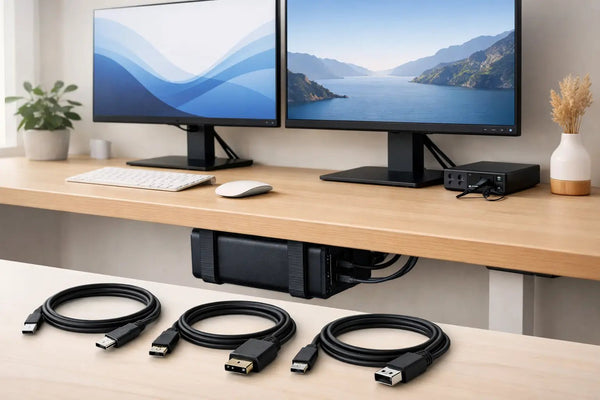
This is also where cable quality starts to matter more than most people think. If you want a one-cable desk setup, the cable is not an accessory. It is part of the system. A weak cable can make a decent dock feel unreliable. That is exactly why the SlideLink Pro USB4 80Gbps cable exists. It is the part between the MacBook and the dock that people ignore until their display flickers or the connection drops under load.
Where a dock earns its space
A dock makes sense when the MacBook is part of a workstation, not just visiting one.
You want one cable in, everything on. Charging, display output, peripherals, storage, network. Done. A proper dock is built for that load. Better thermal behavior, more consistent power delivery, and less juggling of what shares bandwidth with what.
The physical difference matters too. A dock usually sits somewhere permanent. Under a monitor. Behind one. Under the desk. It becomes infrastructure. That means the rest of the desk can get cleaner because the docking hardware no longer has to live in sight.
For a lot of MacBook owners, that is the real upgrade. Not more ports. Less visible compromise.
If your goal is to close the laptop, connect one cable, and keep the machine off the desk entirely, the dock is only half of the answer. The other half is where the MacBook goes. An under-desk mount like the SlideUnder Pro Crossbar Edition is built for that kind of setup, especially on thicker tops or sit-stand desks where mounting stability matters more. It lets the dock do its job without leaving the laptop parked next to your keyboard like a guest who never left.
The display question changes everything
For MacBook users, display support is where a lot of buying mistakes happen.
People read the port list and assume the box can do whatever the connector shape suggests. Then they hit limitations tied to bandwidth, chipsets, refresh rate, or the MacBook model itself. A hub that works fine for 4K at 60Hz with a keyboard and mouse may fall apart once you add fast external storage or try to push a higher refresh ultrawide.
A dock gives you better odds because it is designed around sustained use, but even then, specs matter. Not the marketing bullet points. The actual data path. The actual charging output. The actual cable.
If you work in design, video, code, or photo, this is usually the point where a dock stops being overkill. External display performance is not a luxury feature. It is the desk.
Desk aesthetics are not superficial
People downplay this, but they should not. If you spent real money on a MacBook, a good monitor, input devices, and lighting, the desk should not end with a laptop shoved on a stand and a dock blinking beside it.
A hub often stays visible because it has to. It is small, light, and usually attached close to the laptop. That is fine on the road. It is less fine in a permanent setup where every exposed box and loose cable adds noise.
A dock can be hidden more easily because it is meant to stay in one place. Pair that with a proper mount and the desk starts to behave like a system instead of a pile of good components.
That is the setup logic behind a lot of DockedByDesign builds. Not adding hardware for the sake of it. Removing the laptop and cable clutter from the surface so the desk can do one job well.
So which one should you buy?
If your MacBook is a mobile machine first, buy a hub. Get one that covers the ports you actually use, not the fantasy version of your workflow. If you only connect one display, a drive, and charging, a dock may just be a larger box solving nothing.
If your MacBook is your desktop computer whenever you are home, buy a dock. Especially if you use a high-resolution display, wired network, fast storage, or multiple peripherals that stay connected all week. You will spend more up front, but you are buying consistency.
The better question is not hub or dock. It is whether your setup is temporary or fixed.
Temporary setups reward compact tools. Fixed setups reward stable ones.
A few tradeoffs that are worth saying out loud
A hub is easier to carry and easier to justify. It is also easier to outgrow.
A dock takes up more space and usually needs a proper place to live. But once it is installed well, the whole setup gets faster to use. Sit down. Plug one cable. Work.
Neither option fixes bad cable routing, a shallow desk, or a MacBook parked where your notebook should be. If your real frustration is desk clutter, the port device alone will not solve it. That is why mounts matter. Under-desk if you want the laptop gone. Edge mount if you still want quick access. Wall mount if the desk itself needs to stay almost empty. Different problem, different hardware.
If your desk depth or mounting situation is odd, custom builds are a real consideration, not a luxury. Strange cable exits, unusual frame clearance, sit-stand crossbars - those details decide whether a setup feels intentional or improvised.
USB C hub vs dock for MacBook comes down to friction
The best choice is the one that removes the most friction from your specific desk.
If you are unplugging every day, traveling often, and only need a handful of ports, the hub is still the smart answer. If your MacBook lands in the same place every morning and your peripherals are not moving, a dock is usually the thing you wanted all along.
The cleanest MacBook setup is rarely about adding more tech. It is about deciding what stays visible, what stays connected, and what deserves a permanent place. Get that part right and the desk goes quiet.