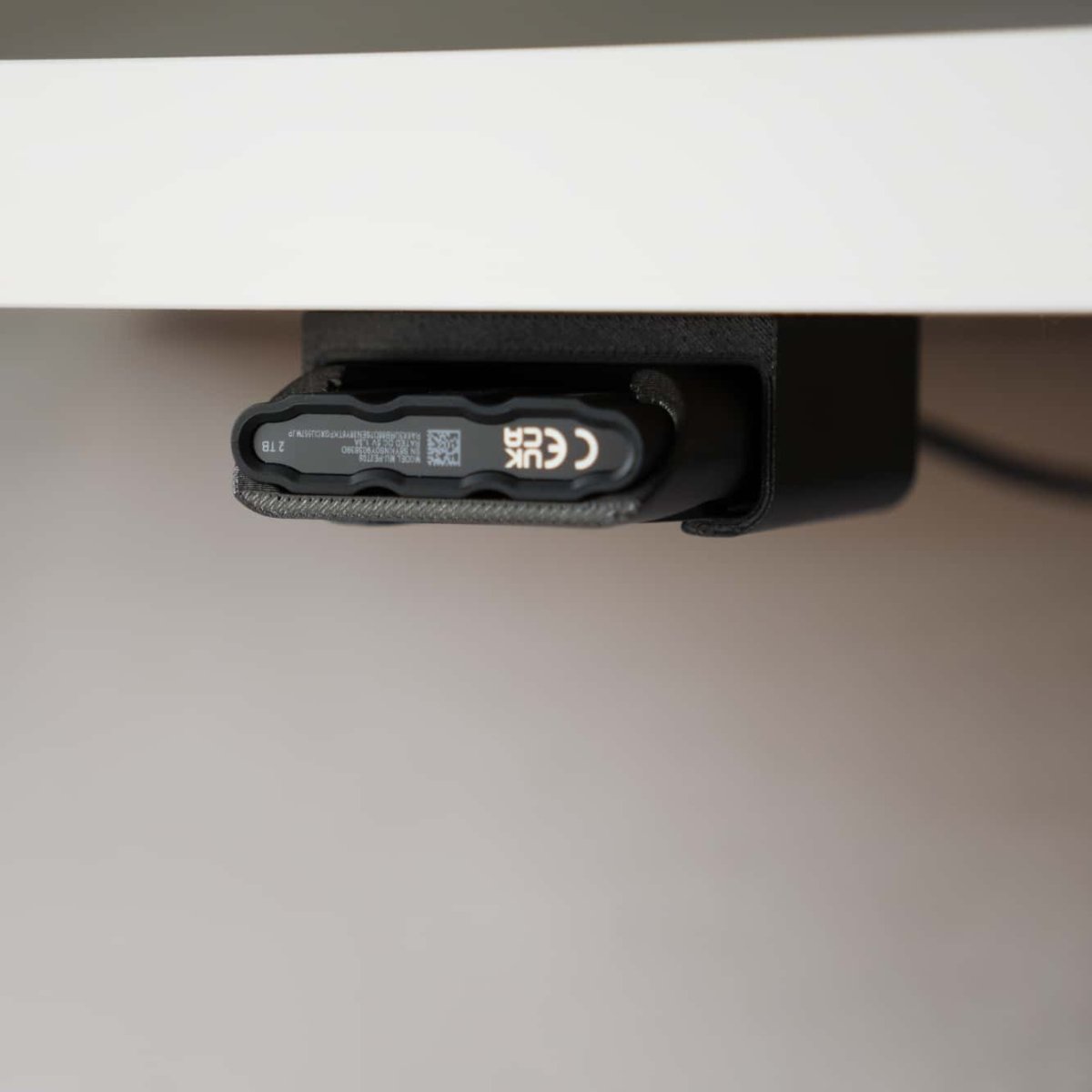
Two surfaces. Same slide-in.

Under the desk for studio. On the cage for the shoot.

DOCK

Station d'accueil SlideSSD (Samsung)

The Holder is the part that travels. The Dock is one of the places it lands. It's rail-based, not magnetic: the Holder slides in on U-rails and the built-in 40 Gbps USB-C passthrough mates with the drive automatically, so you get a real connection the second it's seated.

One keyhole slot and two holes on the base do the mounting. Under a desk, it screws in on the two included spacers so the Holder clears the lip and drops straight in. On a rig, the included 1/4" D-screw hand-tightens onto any standard cage thread, no tools, and the base holes let you set it flat or at an angle. Come back from a shoot, slide the Holder in, keep working. Same part, two setups.

No cable in the box, on purpose: runs go from 30 cm under a desk to a few metres on a rig, so you bring the one that fits instead of paying for one that doesn't. Printed by hand in Rotterdam. Like the SlideUnder when it launched, this is early and made to be used on the go, so more photos and video are coming soon.

40 Gbps · USB-C passthroughDesk + cage · incl. D-screwPETG-CF
Note No USB-C cable in the box. Runs vary from 30 cm under a desk to 3 m on a rig, so you bring the cable that fits your setup.
  • Ships Mon · DHL
  • Returns 30-day · free
  • Made in Rotterdam
  • Made in Rotterdam, NL
  • Returns 30 days, no questions
  • Warranty 2 years on the dock body
  • Shipping EU 2–3 days · global tracked

One pill slot · two workflows

Under the desk, or on the cage.

A single keyhole mount slot gives you 32 mm of travel, so the same Dock screws under a desk or bolts to a camera cage. Two extra holes on the base let you mount it at a different angle. The Holder slides in on U-rails and the 40 Gbps USB-C passthrough mates automatically. Two setups, one part.

Studio mode · under-desk

Under the desk

Screw it under the front edge of your desk using the two included spacers, so the Holder clears the lip and slides in clean. Come back from a shoot, drop the Holder in, USB-C connects. The keyhole slot gives 32 mm of play to dodge a crossbar or drawer rail.

On-location · camera cage

On the cage

Bolt it to a SmallRig, Tilta, or any 1/4"-20 cage thread with the included D-screw, hand-tight, no tools. Pull the Holder off your phone, slide it into the Dock; your drive is now camera-adjacent on a real 40 Gbps line. Two base holes let you run it flat or angled.

One D-screw, two spacers, one slot; desk, cage, or angled, without buying extra hardware.

The system

The Dock is one of the places the Holder lands.

What you're buying

Spec sheet

No spec rows set yet. Add entries to specs.spec_rows on this product.

Screw in. Slide in.

Install · 5 minutes
01

Step title

30 sec
02

Step title

30 sec
03

Step title

30 sec
04

Step title

30 sec

Reviews

What customers say

Customer Reviews

Be the first to write a review
0%
(0)
0%
(0)
0%
(0)
0%
(0)
0%
(0)

Frequently asked

Before you order

Do I need a Holder to use the Dock?

Yes. The Dock is one of the surfaces in the SlideSSD system; the Holder is the part that travels with you, the Dock is one of the places it lands. If you don't have a Holder yet, grab one in the same order.

Is it magnetic like the laptop / phone surface?

No, different mechanism, same one-handed feel. The Dock uses U-rails that guide the Holder until the SSD's USB-C port mates with the built-in passthrough. The magnet isn't needed because the rails hold it.

Why isn't a USB-C cable included?

Cable lengths vary wildly between under-desk and on-cage setups, anything from 30 cm to 3 m. Including one would force you to either eat the cost of a cable that's wrong, or pay for one that fits. Bring your own.

Does it work with any camera cage?

Any cage with a 1/4"-20 thread. The included D-screw hand-tightens straight in, no tools; two base holes let you set it flat or angled. That covers SmallRig, Tilta, Nitze, Wooden Camera, and almost every modern cage. If you're not sure, message us the cage model.

Can I swap between desk and cage modes?

Yes, same Dock, different hardware. Screws + spacers for the desk, the D-screw for a cage; the keyhole slot and the two base holes cover both, plus an angled mount.

How fast is 40 Gbps in practice?

Real Samsung T7 Shield reads top out around 1050 MB/s, well within 40 Gbps. The Dock doesn't bottleneck the drive; the drive is the bottleneck.