01
Test fit & test connectors
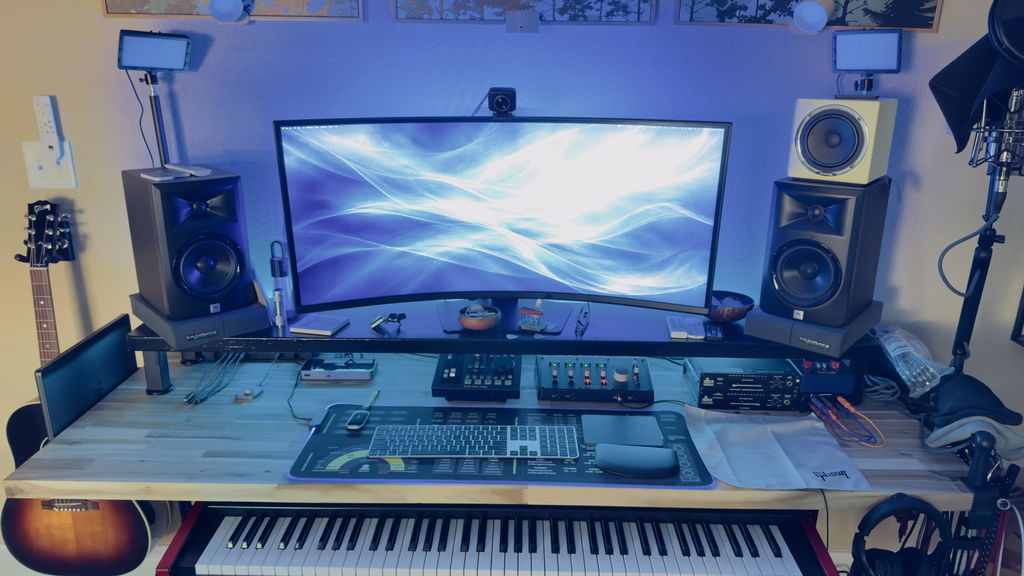
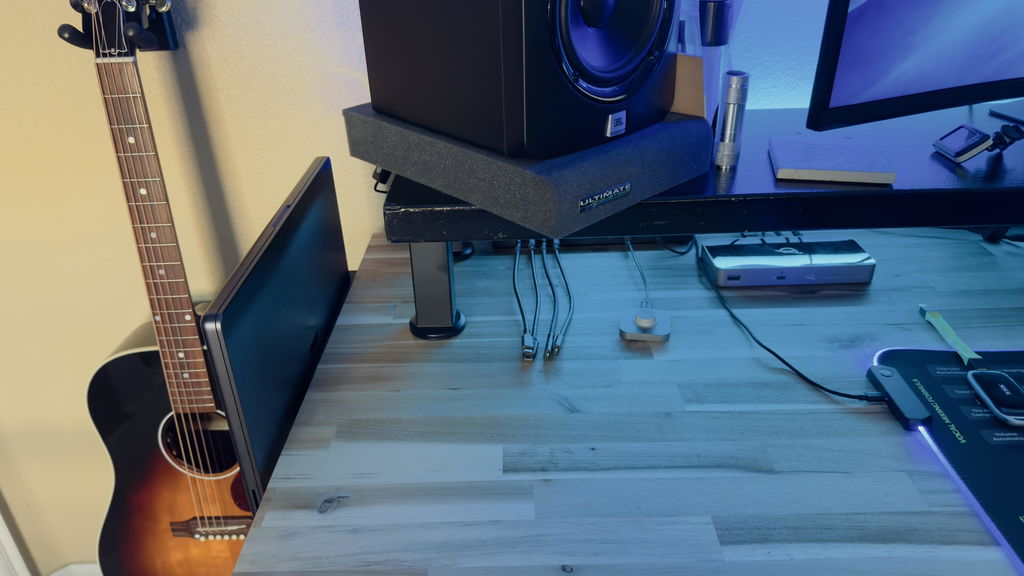
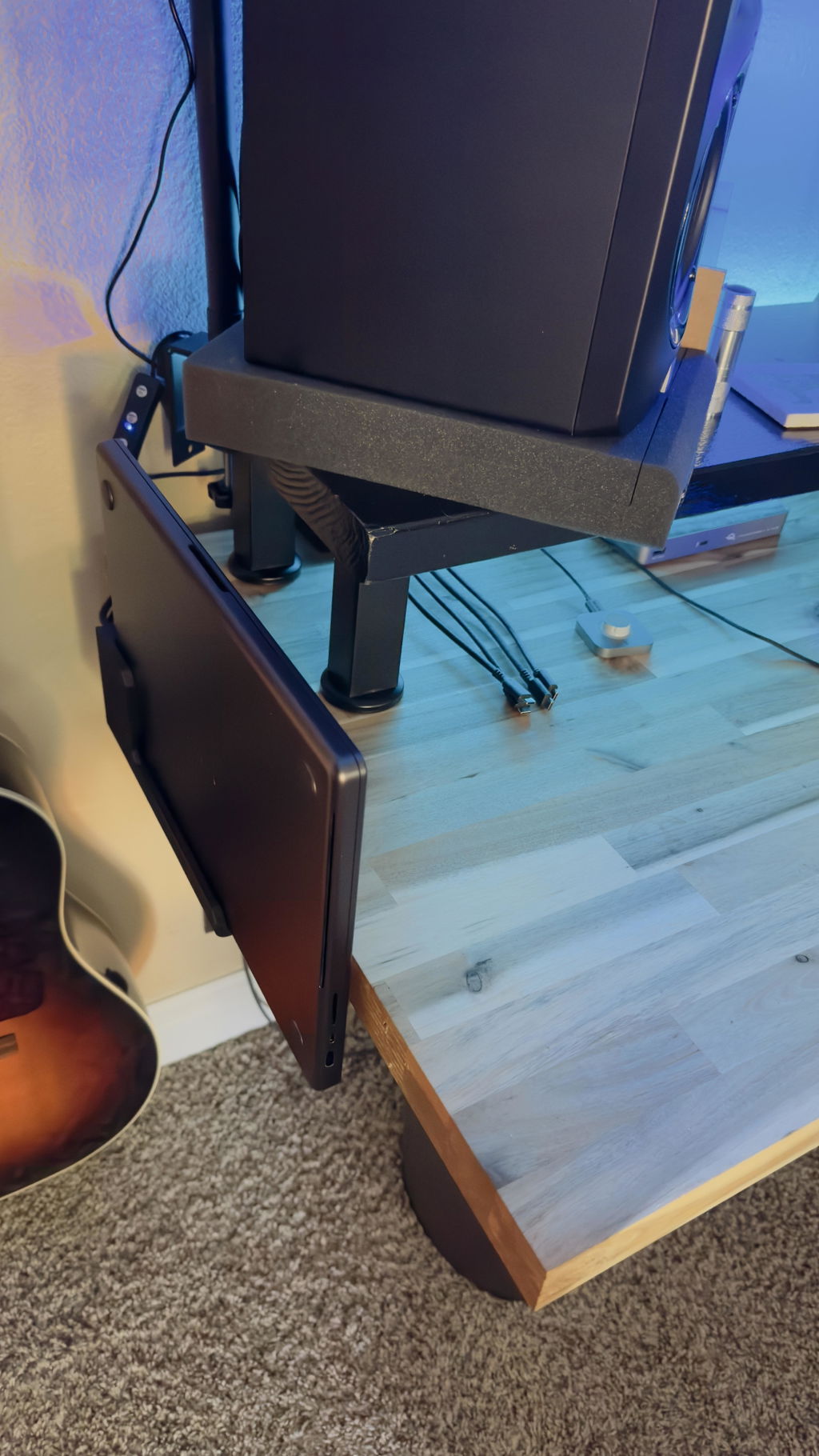
Slide your MacBook in on its side, rubber feet outward. The left ledge guides it in from ~3 cm out so the USB-C port engages cleanly. Plug in a cable and confirm it seats before drilling.
Slide Series · Made in Rotterdam
Mount your MacBook at the edge. Dock in one motion. Built to outlast everything else.
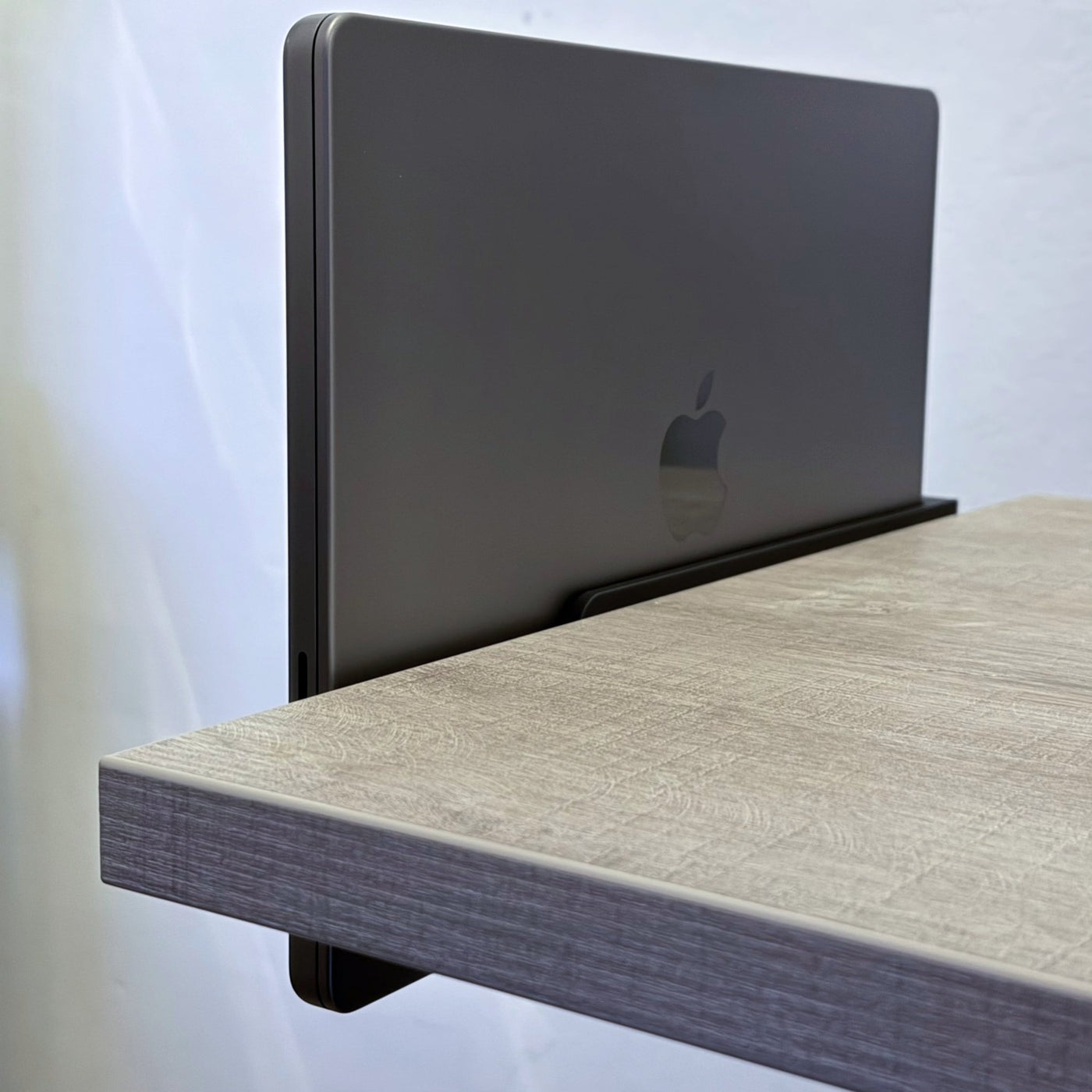
SlideEdge Elite mounts to the underside of your desk's edge — away from crossbars, away from the clutter. Slide your MacBook in from the side: it locks in, starts charging at 240W, and connects at up to 80Gbps over Thunderbolt 5. All through one cable, every single time.
No reaching underneath. No cables to plug in. Just slide in and you're ready.
Built from PETG carbon fiber reinforced filament and secured with 3 screws and stability washers, SlideEdge Elite is engineered for setups that punish standard plastics — sunlit desks, warm rooms, daily reseating, years of use. Heat-resistant to 80°C, impact-tough, and UV-stable so it won't yellow or get brittle by a south-facing window. Ventilation cutouts keep your MacBook cool under load.
Compatible with MacBook Pro 14" & 16" — M1 through M5. ** Needs 4cm clearance under the desk from the edge.
Built to last
Buy 2 or more — save 5% automatically at checkout.
Engineered to disappear
Spec sheetPick the tier for your setup
Standard vs Pro vs Elite|
Standard
Single-cable office, hot-desking
|
Pro
Studio editing, dual external displays
|
EliteThis page
Heat-stable, carbon-fiber reinforced
| |
|---|---|---|---|
| Bandwith | 40 Gbps | 80 Gbps | 80 Gbps |
| Power delivery | 100W | 240W | 240W |
| Washers | No | Yes | Yes |
| Enhanced airflow | No | Yes | Yes |
| Increased UV & heat resistance | No | No | Yes |
| Desk in direct sunlightPLA softens from around 50 °C, which a dock sitting in direct sun can reach. Choose Elite for a sunlit desk. | Not recommended | Not recommended | Yes |
| MaterialElite in White uses Glass Fiber (GF); other colors Carbon Fiber (CF) | PLA | PLA | PETG Carbon or Glass Fiber |
Three screws. One cable. Done.
Install · a few minutesSlide your MacBook in on its side, rubber feet outward. The left ledge guides it in from ~3 cm out so the USB-C port engages cleanly. Plug in a cable and confirm it seats before drilling.
Hold the dock against the underside front edge, shift until it feels right, pencil the three holes, remove the MacBook before drilling. Check nothing blocks the slide-out — drawers, legs, monitor arms.
Drive in the three screws. Always use the included washers between screw head and desk — they prevent over-tightening and keep the dock flush. Firm, not forced.
Slide the MacBook back in, connect USB-C (or an angled adapter if clearance is tight), route the cable along the underside for a clean finish.
From customers

Reviews
I purchased the SlideEdge Elite for my Macbook Pro 16. Honestly, what Sunny came up with is a better idea and design than anything I've found on the market. It installed perfectly, works exactly like it's supposed to, is a simple and elegant design, and I'm super happy with it! I bought a powered USB hub to use with it and it works very well. In short, his idea, entrepreneurial spirit, and personal touch are inspiring. I will probably be ordering one for my wife in the next few weeks. This is a great product from REAL people!
Stealthy perfection.
- Thunderbolt 5 passthrough has been working flawlessly for the past few weeks I’ve used it, connected to a Caldigit TS5 plus.
- Build quality and materials are great. The dock itself shows no flexing or creaking even when I pull down on it fairly hard. My Mac is very easy to slide in and out, yet is fully secured when seated.
- Installation was simple. I screwed it into a solid walnut top which required pilot holes. My one critique is that the installation guide should instruct on what drill bit size and drill depth to use for the provided screws, but this was easy enough to deduce on my own.
- Sunny’s support is excellent, it’s clear he cares deeply about the quality of his products and storefront. My desk has very little clearance at the edges, so the standard SlideEdge bracket wouldn’t fit. I provided pictures and measurements to Sunny and he quickly came up with a custom solution that had no compromises.
Overall, fantastic product. If you want to declutter your desk while keeping your Mac easily available to take with you, there’s no better option.
Einfach nur top! Genau was ich gesucht habe. Super Qualität top verpackt. Professionell von Anfang bis Ende
Frequently asked
The SlideUnder Pro is designed exclusively for MacBooks. It's available in two sizes: 14" (fits MacBook Pro 14") and 16" (fits MacBook Pro 16"). It does not fit MacBook Air models or non-Apple laptops.
Orders ship from Rotterdam, Netherlands within 1–2 business days. Delivery within the Netherlands and Belgium typically takes 1–3 business days. European orders are usually delivered within 2–4 business days. International shipping (US, AU) takes 2–6 business days depending on the destination.
If you're not satisfied, you can return your SlideUnder Pro within 30 days of delivery. Contact support@dockedbydesign.com to arrange your return.
Each mount is 3D printed in-house in Rotterdam using high-quality matte PLA. Every unit is printed and quality-checked by hand before shipping.