
01
Test fit & test connectors
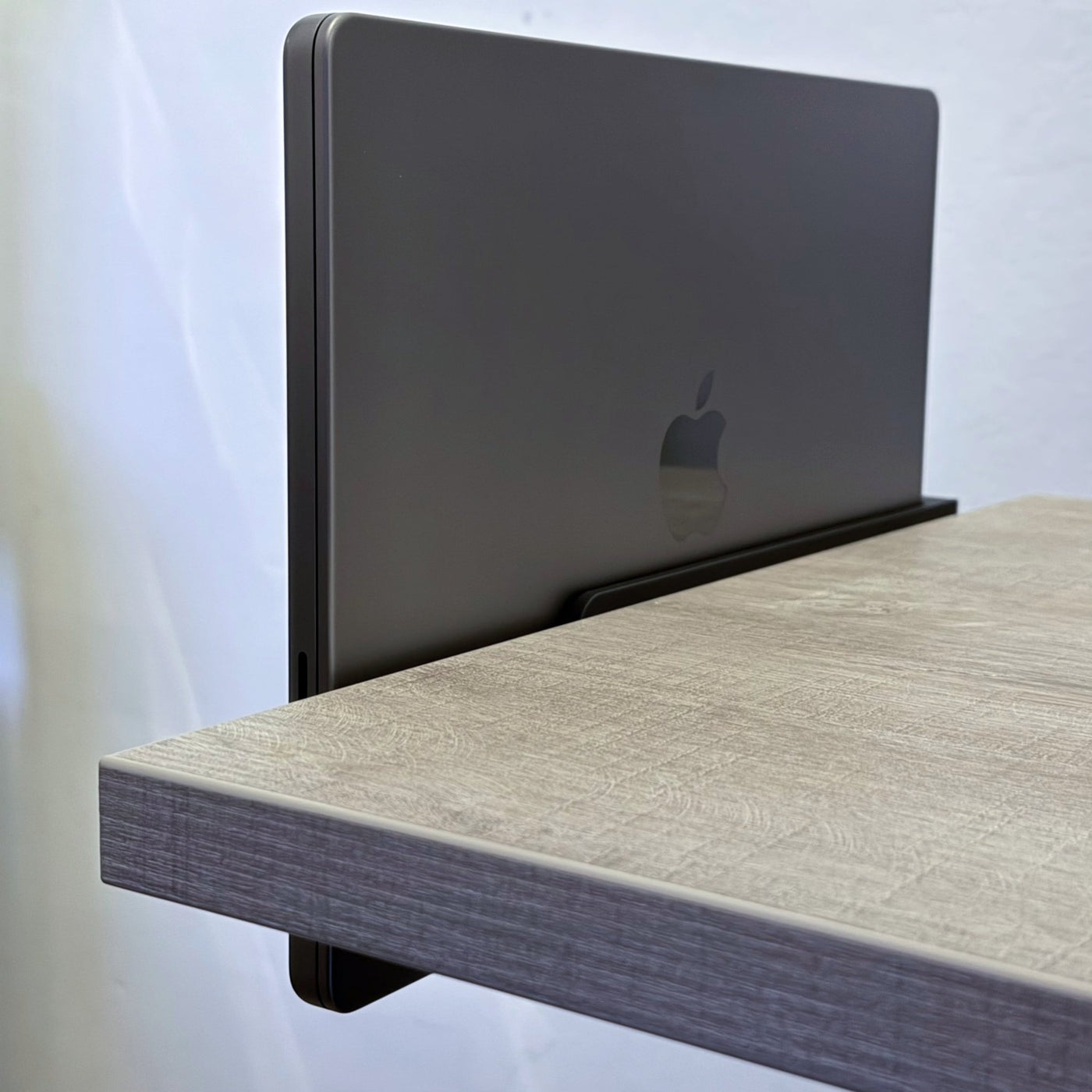
Slide your MacBook in on its side, rubber feet outward. The left ledge guides it in from ~3 cm out so the USB-C port engages cleanly. Plug in a cable and confirm it seats before drilling.
Slide Series · Made in Rotterdam
Mount your MacBook at the edge. Dock in one motion. Keep your desk clean.
SlideEdge Standard mounts to the underside of your desk's edge — away from crossbars, away from the clutter. Slide your MacBook in from the side: it locks in, starts charging at 100W, and connects at up to 40Gbps over Thunderbolt 4. All through one cable, every single time.
No reaching underneath. No cables to plug in. Just slide in and you're ready.
Built from Bambu Lab PLA and secured with 3 screws and stability washers, SlideEdge Standard holds firm all day. Ventilation cutouts keep your MacBook cool under load.
Compatible with MacBook Pro 14" & 16" (M1–M5), MacBook Air (M2–M5) and MacBook Neo.
** Needs 4cm clearance under the desk from the edge.
Looking for white? SlideEdge Elite comes in Black and White.
Buy 2 or more — save 5% automatically at checkout.
Engineered to disappear
Spec sheetPick the tier for your setup
Standard vs Pro vs Elite|
StandardThis page
Single-cable office, hot-desking
|
Pro
Studio editing, dual external displays
|
Elite
Heat-stable, carbon-fiber reinforced
| |
|---|---|---|---|
| Bandwith | 40 Gbps | 80 Gbps | 80 Gbps |
| Power delivery | 100W | 240W | 240W |
| Washers | No | Yes | Yes |
| Enhanced airflow | No | Yes | Yes |
| 3,5mm headphone jack TRRS (Coming soon) | No | No | Yes |
| Increased UV & heat resistance | No | No | Yes |
| Desk in direct sunlightPLA softens from around 50 °C, which a dock sitting in direct sun can reach. Choose Elite for a sunlit desk. | Not recommended | Not recommended | Yes |
| MaterialElite in White uses Glass Fiber (GF); other colors Carbon Fiber (CF) | PLA | PLA | PETG Carbon or Glass Fiber |
Three screws. One cable. Done.
Install · a few minutesSlide your MacBook in on its side, rubber feet outward. The left ledge guides it in from ~3 cm out so the USB-C port engages cleanly. Plug in a cable and confirm it seats before drilling.
Hold the dock against the underside front edge, shift until it feels right, pencil the three holes, remove the MacBook before drilling. Check nothing blocks the slide-out — drawers, legs, monitor arms.
Drive in the three screws. Always use the included washers between screw head and desk — they prevent over-tightening and keep the dock flush. Firm, not forced.
Slide the MacBook back in, connect USB-C (or an angled adapter if clearance is tight), route the cable along the underside for a clean finish.
From customers
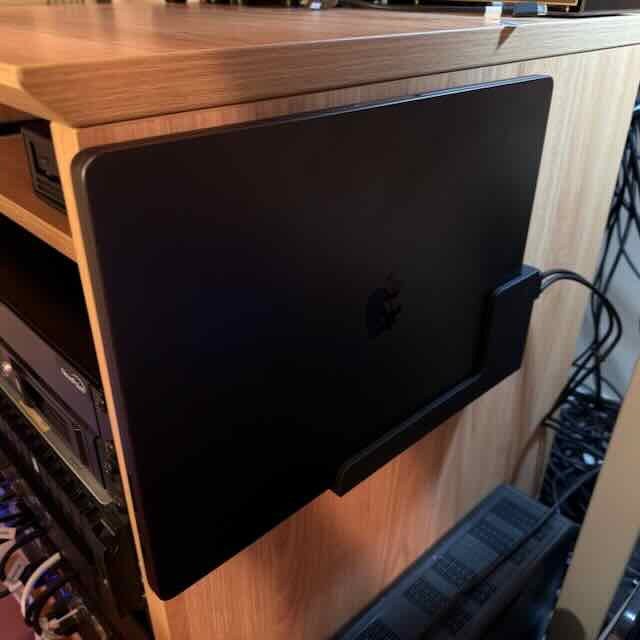
Reviews
Frequently asked
The SlideUnder Pro is designed exclusively for MacBooks. It's available in two sizes: 14" (fits MacBook Pro 14") and 16" (fits MacBook Pro 16"). It does not fit MacBook Air models or non-Apple laptops.
Orders ship from Rotterdam, Netherlands within 1–2 business days. Delivery within the Netherlands and Belgium typically takes 1–3 business days. European orders are usually delivered within 2–4 business days. International shipping (US, AU) takes 2–6 business days depending on the destination.
If you're not satisfied, you can return your SlideUnder Pro within 30 days of delivery. Contact support@dockedbydesign.com to arrange your return.
Each mount is 3D printed in-house in Rotterdam using high-quality matte PLA. Every unit is printed and quality-checked by hand before shipping.